IFC-Attributprüfer

Project

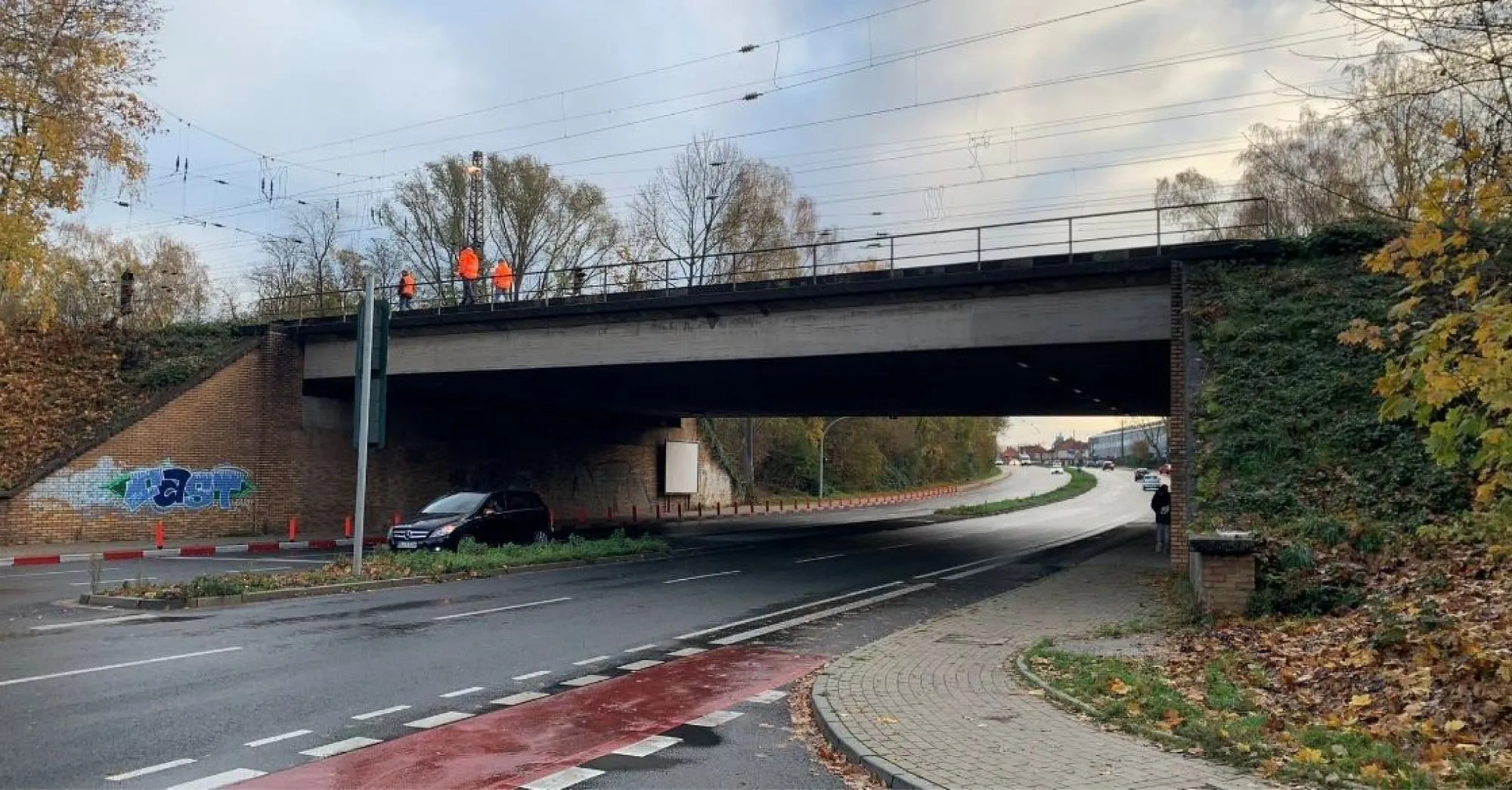
The tool grew out of model checking on infrastructure and building projects. It checks whether the discipline models of a delivery carry the properties the client asks for — complete, with permitted values and in the required format. The check runs on your own computer: models and results stay there, even when the models belong to critical infrastructure or contain personal data.

It checks against the project's requirements: published rule sets such as the current versions of DB Anlage A, the client's attribute lists in Excel, or an IDS. New client lists can be added without programming. Two versions of a list, or two work stages, can be compared, and the contractors get a list of exactly what is checked.

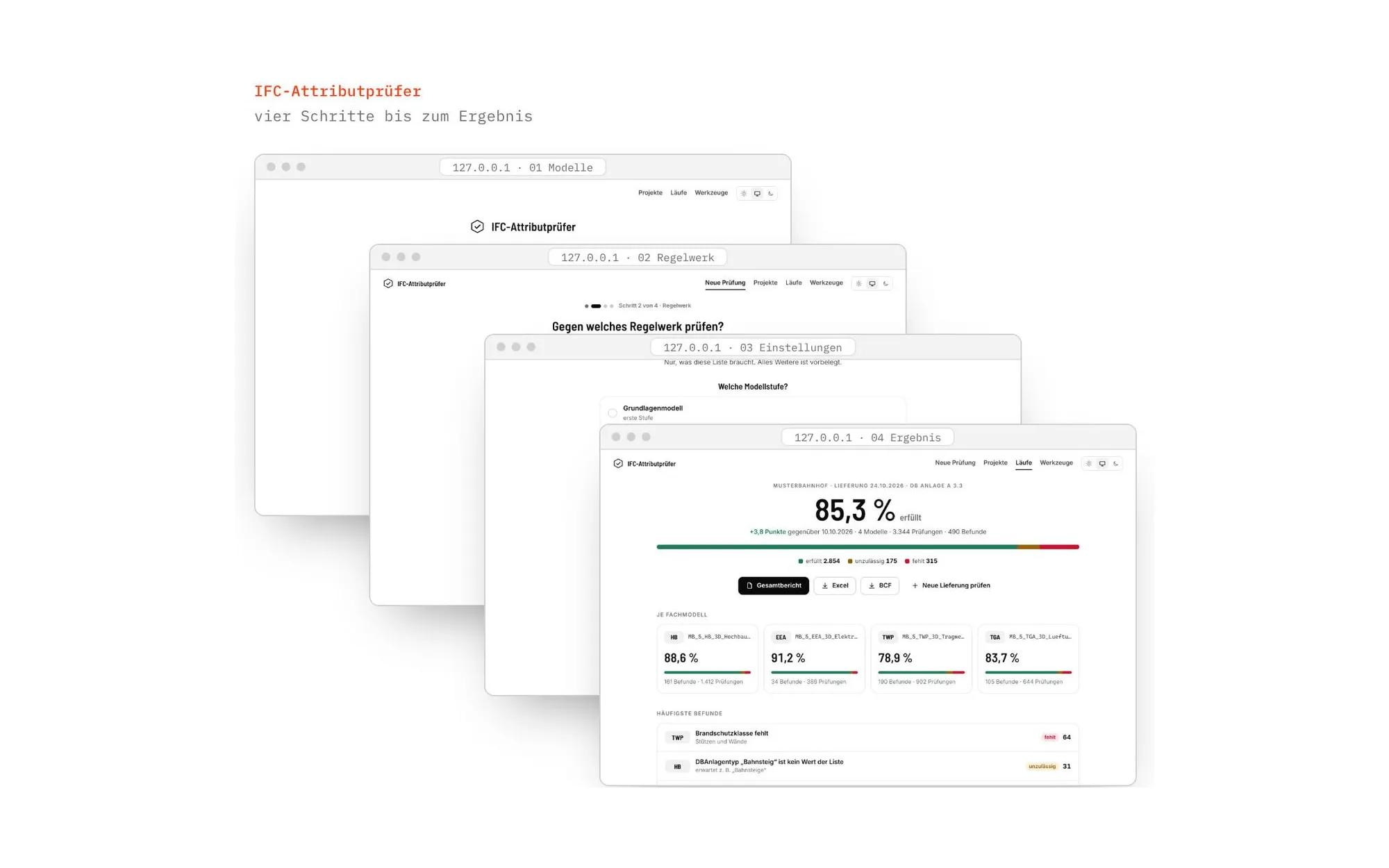
01 Models — drag several models in at once or pick them in Explorer; they are ready by the time the list is chosen.
02 Rule set — choose a shipped version of DB Anlage A or the client's own list; within seconds you know it fits.

The flow has four steps, one page each: drop the models, choose the rule set, set what is needed, check. Several models can be dragged in at once and are read while the next question is being answered. It asks only what the chosen list needs; everything else stays folded away, with one line saying what is set.

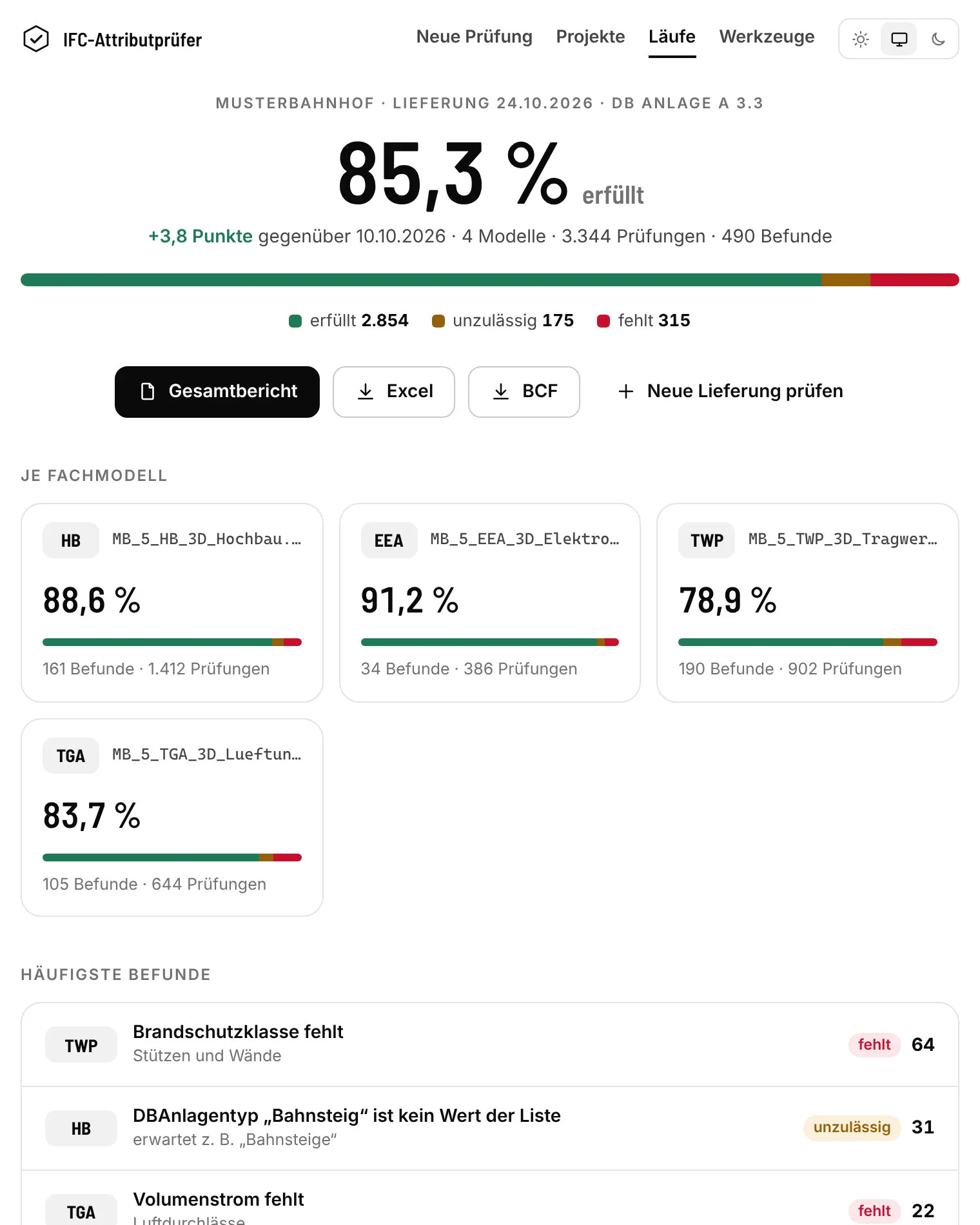
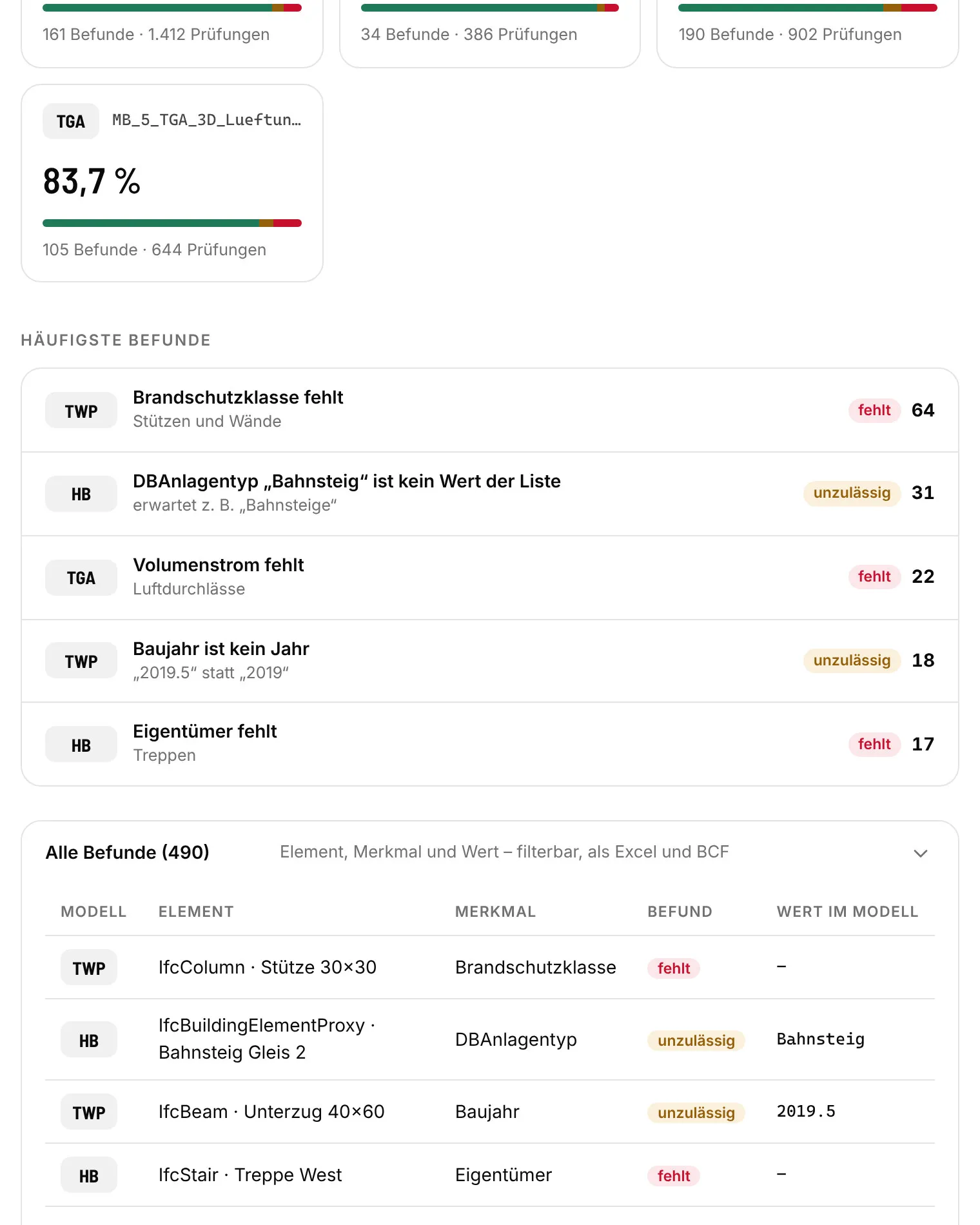
The result shows the degree of compliance of the delivery and of each discipline model, the most frequent findings and every single finding with element, property and value in the model — missing and invalid entries apart. Properties named differently in the model than in the list are matched once and hold for every later check. Results go out as Excel and HTML reports, a print-ready summary report, IDS, and BCF for BIMcollab and other CDEs.

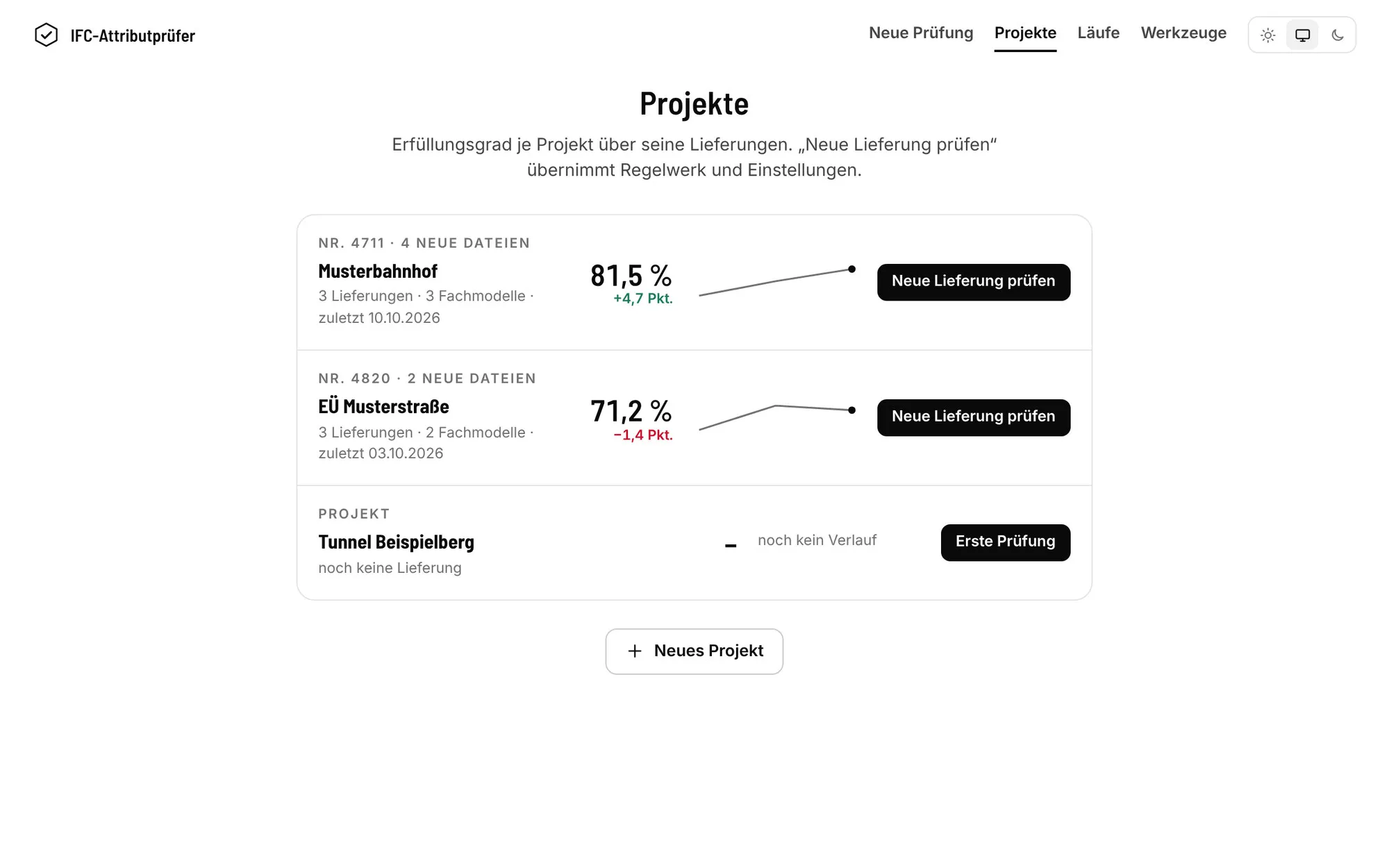
Every check belongs to a project. The comparison with the previous delivery shows what was fixed, what is new and what has come back; the trend per project, discipline model and design firm shows progress across all deliveries and against the delivery schedule. Files that have arrived in the delivery folder since the last check are flagged automatically.
03 Settings — answer only what the list needs, here the model stage; everything else stays folded until you need it.
04 Check — choose the project and start; the result shows the degree of compliance, the change since the previous delivery and the most frequent findings.
Met, invalid, missing — per delivery and per discipline model.
Every finding with element, property and value in the model — as Excel and as BCF for BIMcollab.
Projects: the degree of compliance over the deliveries, and what has arrived in the delivery folder since the last check.
Next project →EÜ Theodor-Körner-Straße

Projects

About / CV

Registered architect · 11 years of experience, HOAI · certified Scrum Master

Experience

  • since 2025 SOCOTEC Ingenieure AGBIM consultant/manager, project manager · Berlin
  • 2019 – 2025 Architekten Ingenieure PSPLead architect, BIM manager, VDC admin · Hamburg
  • since 2015 Independent practiceArchitect, BIM manager, project manager, designer · Berlin
  • 2013 – 2017 Fahras ArchitectsProject architect, VDC admin · Tripoli, Libya

Education

  • 2017 – 2019 M.A. ArchitectureHochschule Anhalt (DIA) · Dessau, Germany
  • 2009 – 2015 B.Eng. Architecture and Urban PlanningAl Zawiya University · Libya
Languages
Arabic, English, German
Software
Revit, Archicad, Rhino, Solibri, BIMcollab, Desite, ACC · Python, Dynamo
E-mail→

1 / 1 IFC-Attributprüfer